after matt had kindly gone through the process of painting weights as well as few tips i was off...however the first mutilation occured
DUM DUM
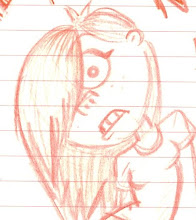
 iiiiiiiiiiii think she looks better :)
KIDDING! she looks dreadful, and its down to me not realising my vertices weren't merged, merging them, which in turn ruined the bind on the model....restart. I then discovered i required more edge loops around the shoulder geometry as it was not deforming entirely how i liked...again you could add in edge loops, which i did, but Maya does not remember the painted weights you then put on the model and sets it back....restart. Ah well...little problems, least im getting into the swing of it...the components editor is also a big help for removing unwanted influence the computer happens to put on certain verts (however DO NOT depend solely on this...i removed a lot of verts influence and then found i couldn't go back and paint certain areas). Its fine to use straight away to remove extremely unnecessary influence...such as my models ears were being pulled by the shoulder..i know i wont need to go paint back over an influence for shoulder to ear so can remove this vert influence via the components editor. As Stuart said to me "its all trial and error really" and he'st most certainly right.
Progress!! after going back and adding much much many more edge loops, were on the way...heres a left to right comparison of how things are looking....im working on her left side (only on the shoulder and arm at this point) (screen right) and right is the terrible bind situation with no work on it....conclusion: ITS RUDDY WORKING :D
 this is merely the beginning my friends...i feel much more confident about painting weights! hora! soon i will be able to tick it off my list of to learns...progress has been saved but for now i must devote my time to Gareths project which unfortunately took a back seat whilst i picked up the pace with this...never do that again sarah you num nuts. Cant believe were into the last week maaaaaann
tbc

No comments:
Post a Comment